

Managing application deployments through Microsoft Intune is a critical part of modern endpoint management. But if you’ve ever had to manually package and upload dozens of Win32 apps through the Intune portal, you know how tedious and time-consuming that process can be. Each app requires creating the `.intunewin` package, filling out app details, configuring detection rules, setting up assignments – and repeating it all over again for the next one.
That’s exactly the problem we set out to solve.
What Is It?
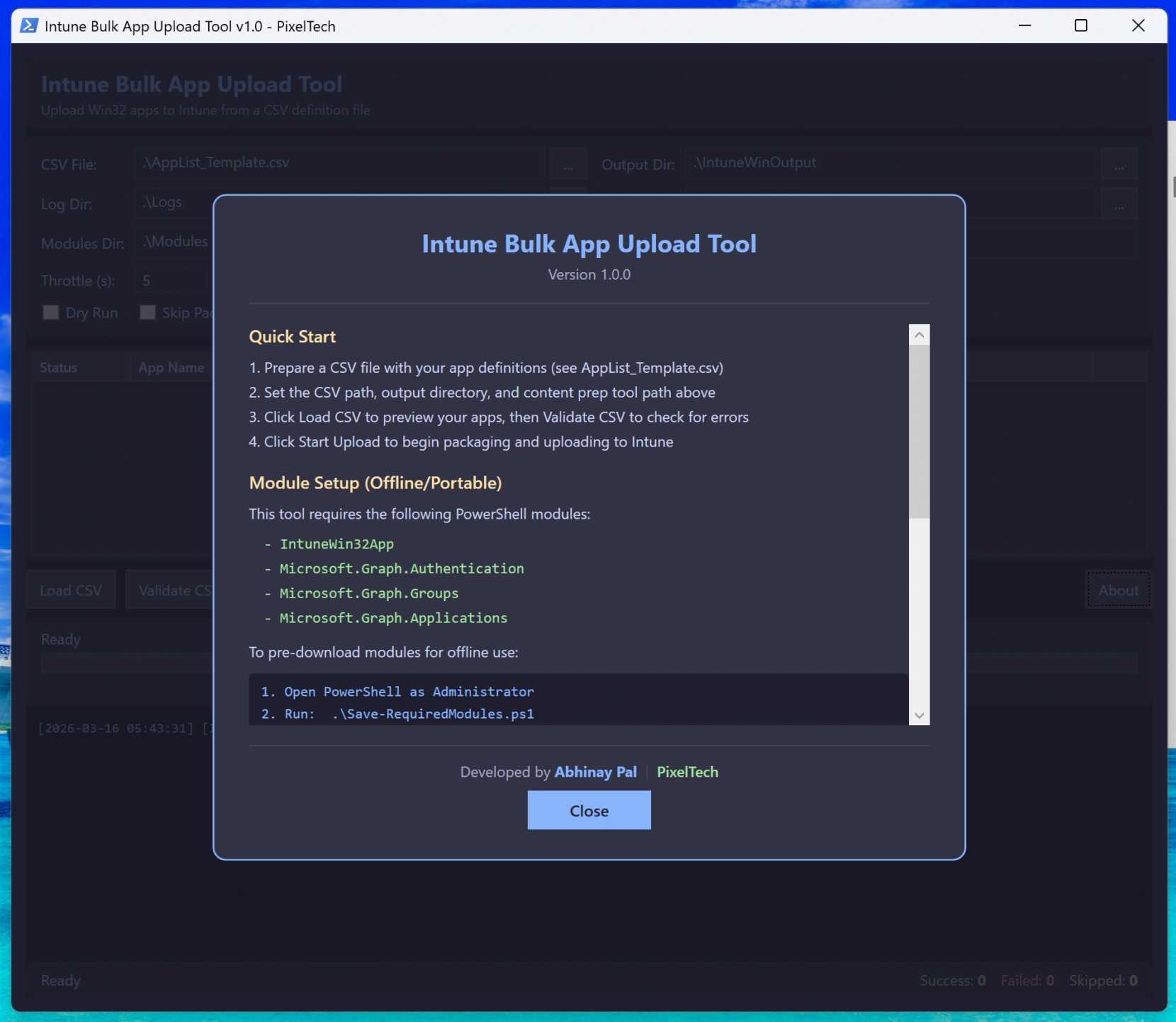
The Intune Bulk App Upload Tool is a PowerShell-based utility with a modern GUI that lets IT admins package and upload multiple Win32 applications to Microsoft Intune in a single run. Instead of clicking through the portal for each app, you define everything in a CSV file, hit Start, and let the tool handle the rest.
It comes in two flavours – a CLI script for automation-friendly workflows and a WPF-based GUI for those who prefer a visual interface.
Key Features
CSV-Driven Bulk Upload– Define all your apps, detection rules, install commands, and assignments in a single CSV file. One file, many apps.
Automated .intunewin Packaging- The tool wraps your source files into `.intunewin` packages automatically using the Microsoft Win32 Content Prep Tool. No need to run it manually for each app.
Detection Rule Creation– Supports MSI product codes, file-based detection, registry checks, and custom PowerShell detection scripts. All configurable per app via the CSV.
Group Assignment– Automatically assigns apps to Azure AD groups with support for Available and Required assignment types.
Dry Run Mode– Validate your CSV and preview what would happen without actually uploading anything. Great for catching errors before they hit production.
Dark Themed GUI– A sleek, modern WPF interface built with the Catppuccin Mocha colour palette. Easy on the eyes during those late-night deployment sessions.
Real-Time Progress Tracking– Live progress bar, per-app status updates in the data grid, success/failure/skip counters, and a detailed log panel – all updating in real time without freezing the UI.
Local Module Support– For air-gapped or restricted environments, the tool supports loading PowerShell modules from a local directory. A companion `Save-RequiredModules.ps1` script lets you pre-download everything needed.
Why We Built This
The Intune portal works well for managing a handful of apps. But when you’re onboarding a new tenant, migrating from SCCM, or standardising your app catalogue across hundreds of endpoints, doing it one app at a time just doesn’t scale.
We wanted a tool that could take a spreadsheet of apps and turn it into a fully deployed Intune app catalogue – with proper detection rules, assignments, and logging – in a fraction of the time.
How It Works
1. Prepare your CSV– List your apps with details like name, version, publisher, source folder, install/uninstall commands, detection rules, and assignment groups.
2. Run the tool– Point it at your CSV, configure your settings (tenant ID, output folder, throttle delay), and click Start.
3. Watch it work– The tool packages each app, authenticates to your tenant via Microsoft Graph, uploads the package, creates detection rules, and assigns to groups. All while keeping you informed with real-time status updates.
4. Review the results– A results CSV is generated at the end with the outcome for each app, alongside detailed logs for troubleshooting.
Current Status
This tool is currently in the testing phase. We are actively running it through various scenarios – different detection types, edge cases with module loading, and more. We want to make sure it’s rock solid before putting it in your hands.
We plan to release it soon once testing is complete. Stay tuned for updates.
Get Ready
In the meantime, if you’d like to be ready when the tool drops:
– Make sure you have the Microsoft Win32 Content Prep Tool downloaded
– Prepare your app source folders with setup files
– Start building out your CSV using the template we’ll provide with the release
– Ensure you have the necessary Azure AD permissions for app management and group assignment
—
Have questions or want early access? Reach out to us at PixelTech. We’d love to hear from fellow IT admins who share the pain of manual Intune uploads.
—
#Microsoft Intune #Win32 Apps #Endpoint Management #PowerShell #Bulk Deployment #IT Automation #PixelTech


Leave a Comment